AI Summary Configuration Workflow
The figure below illustrates the steps required to setup the AI Summary feature.
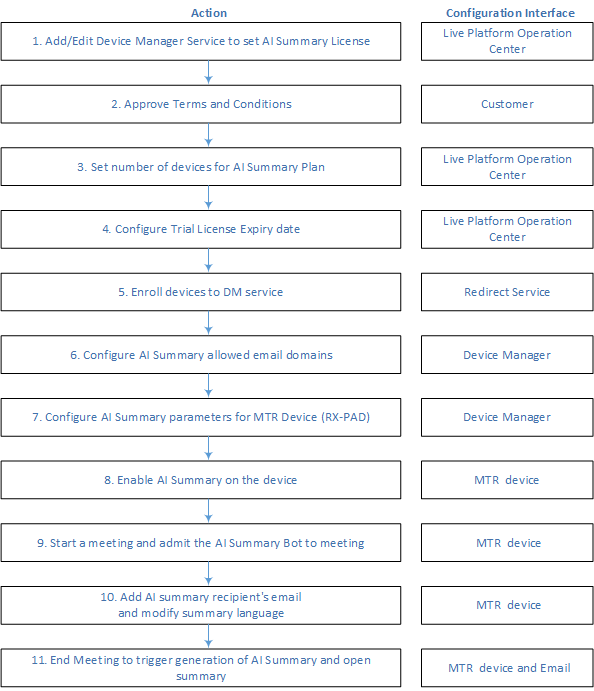
| ■ | For steps 1-5, see Onboard using Redirect Server with 'Essential + AI Summary' or 'Pro + AI Summary' License. |
| ■ | For step 6, see Configure Authorized Domains. |
| ■ | For step 7-11, refer to the AI Summary Configuration Guide. |
For the AI Summary feature to work, mandatory AI related settings must first be set up by the System Administrator. For details, see the AI Summary parameters in Configure System Settings.